 TenuVaultDesktop
TenuVault Desktop
See what changed in your Intune configuration
Compare the two newest backups to find added, changed and deleted items. TenuVault shows the setting differences so you can investigate the change and choose a supported recovery action.
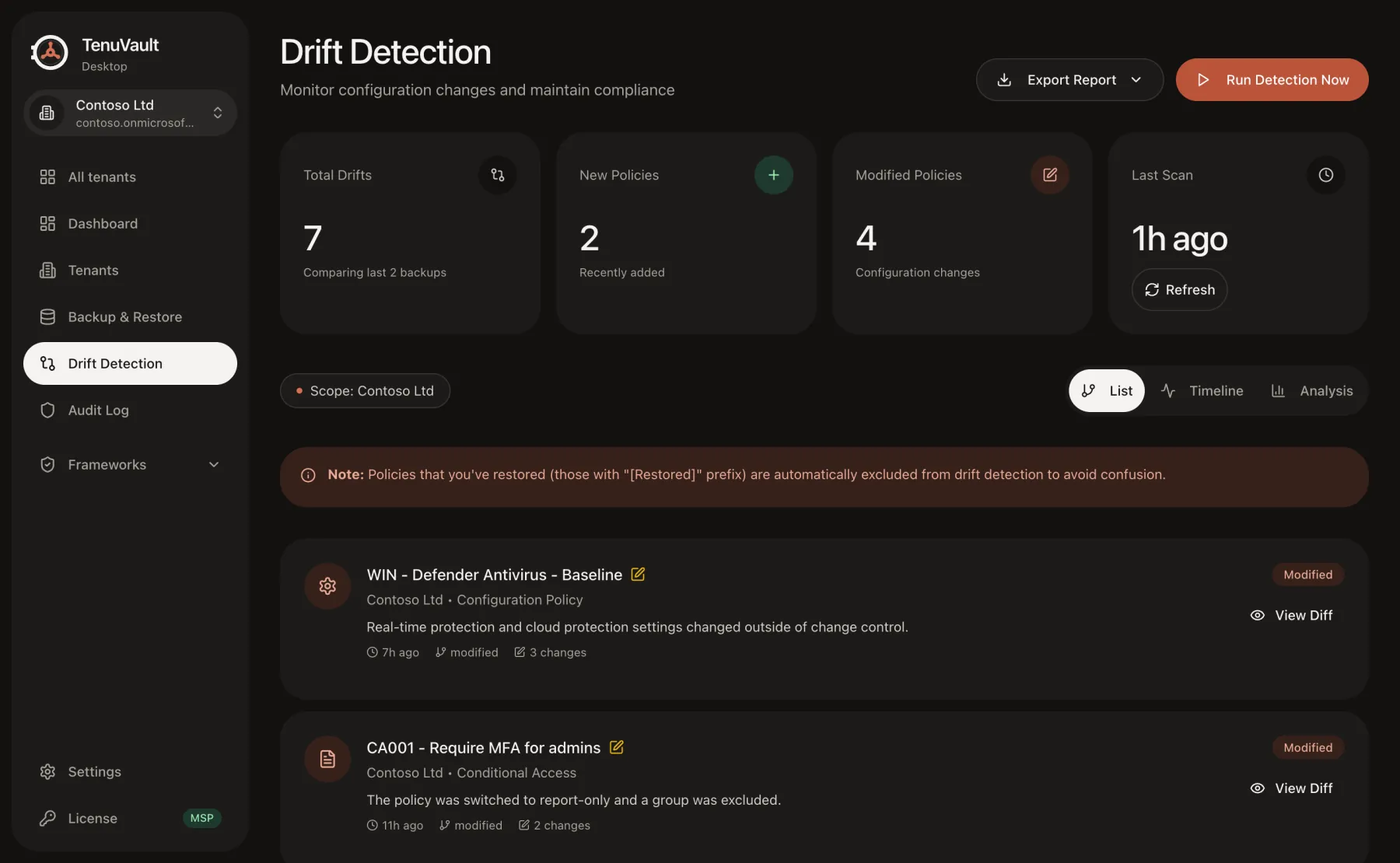
Compare configuration at the setting level
Drift detection requires two backups of the same tenant. Added and deleted policies are listed separately from changed policies, and changed items expose old and new values where supported.
A difference tells you that the saved configuration changed. It does not establish that the change was unauthorized, that it reached every device, or that an endpoint is compliant.
Keep your evidence current
The comparison can only see changes captured in the snapshots. Run a fresh backup when investigating an incident and inspect backup completeness before interpreting the report.
Schedule weekly backups on Community or daily backups on Pro and MSP. Authentication, permissions, storage and an awake computer remain prerequisites. Choose a schedule that fits your recovery requirements.
Export findings and review a response
Export drift findings as JSON or CSV for a change ticket or investigation. Community can restore a previous item as a copy; Pro and MSP add supported in-place reversion.
Review what the recovery operation will change and whether assignments or dependencies need attention. Use a pilot group or an unassigned copy to validate the result before expanding a rollout.
Validate a baseline separately
Backup drift compares your saved tenant configuration across time. OpenIntuneBaseline validation instead compares deployed policies with a selected upstream baseline version.
Use the workflow that matches the question: what changed in the tenant, or where configuration differs from the baseline. Neither workflow claims framework certification or device enforcement.
Read the technical guides
Product scope reviewed 3 October 2026. Check your installed release and the current plan table before using a workflow.