 TenuVaultDesktop
Practical guide
Practice policy recovery before an incident
This reproducible walkthrough uses an unassigned test policy and restores it as a copy. It is an operating procedure, not a claimed recovery benchmark or a customer case study. Run it only in a tenant and scope you are authorized to change.
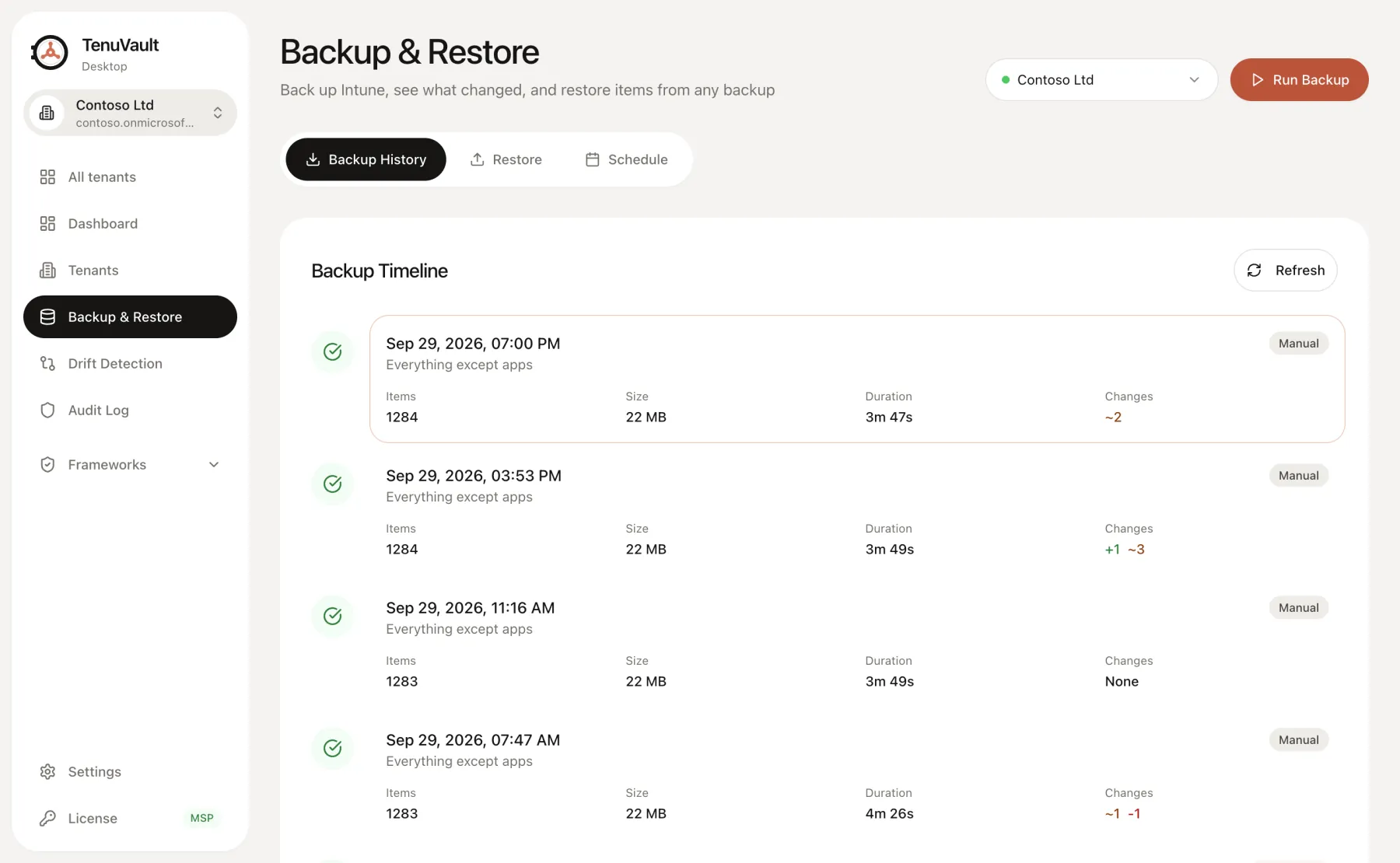
1. Define a small, unassigned test
Use a non-production tenant or an approved unassigned Settings Catalog policy with a recognizable name and a small set of settings. Do not target users or devices for this exercise. Record the original policy ID, settings and assignments before proceeding.
Confirm that your signed-in account has read and write access to that policy type, backup storage is configured and the recovery key is available. Community supports one-item copy restores; use that mode for this exercise.
2. Back up and inspect the snapshot
Run a backup that includes the test policy. Review its status, log and scope, and verify that the expected settings were saved. Record the backup timestamp and app version.
Open recovery readiness and inspect any dependency or manual-artifact warnings. Stop and resolve missing configuration before continuing; an incomplete or excluded snapshot cannot validate the planned recovery.
3. Restore one item as a copy
Select the verified backup, choose the test policy and use Create copies. Keep assignment restoration off. Inspect the review screen, then confirm the operation when the plan matches the test scope.
Read the result and record the new policy ID. If the operation partially succeeds or reports an ambiguous result, reconcile the created items before retrying. A copy restore leaves the original policy in place.
4. Compare settings and record the result
Inspect the restored policy in Intune. Compare its settings with the recorded original values and verify that it is unassigned. Configuration equality is the goal of this exercise; device enforcement is outside its scope.
Record elapsed time only from your own run, with start/end timestamps and the object scope. Attach the restore result and note any manual steps. Do not extrapolate a single-policy drill to full-tenant recovery.
- App version and tenant test scope
- Backup timestamp, scope and result
- Original and restored policy IDs
- Setting comparison and assignment check
- Actual elapsed time, warnings and manual steps
5. Clean up and plan the next drill
Delete the unassigned test copy through your approved change process, retaining the evidence and backup according to your retention requirements.
If you rely on in-place replacement, assignment recovery or cross-tenant copies, run a separate approved drill for that workflow and plan. Include dependencies and external artifacts rather than assuming the copy test covers them.
Read the technical guides
Product scope reviewed 3 October 2026. Check your installed release and the current plan table before using a workflow.