 TenuVaultDesktop
Start from OpenIntuneBaseline
OpenIntuneBaseline
01
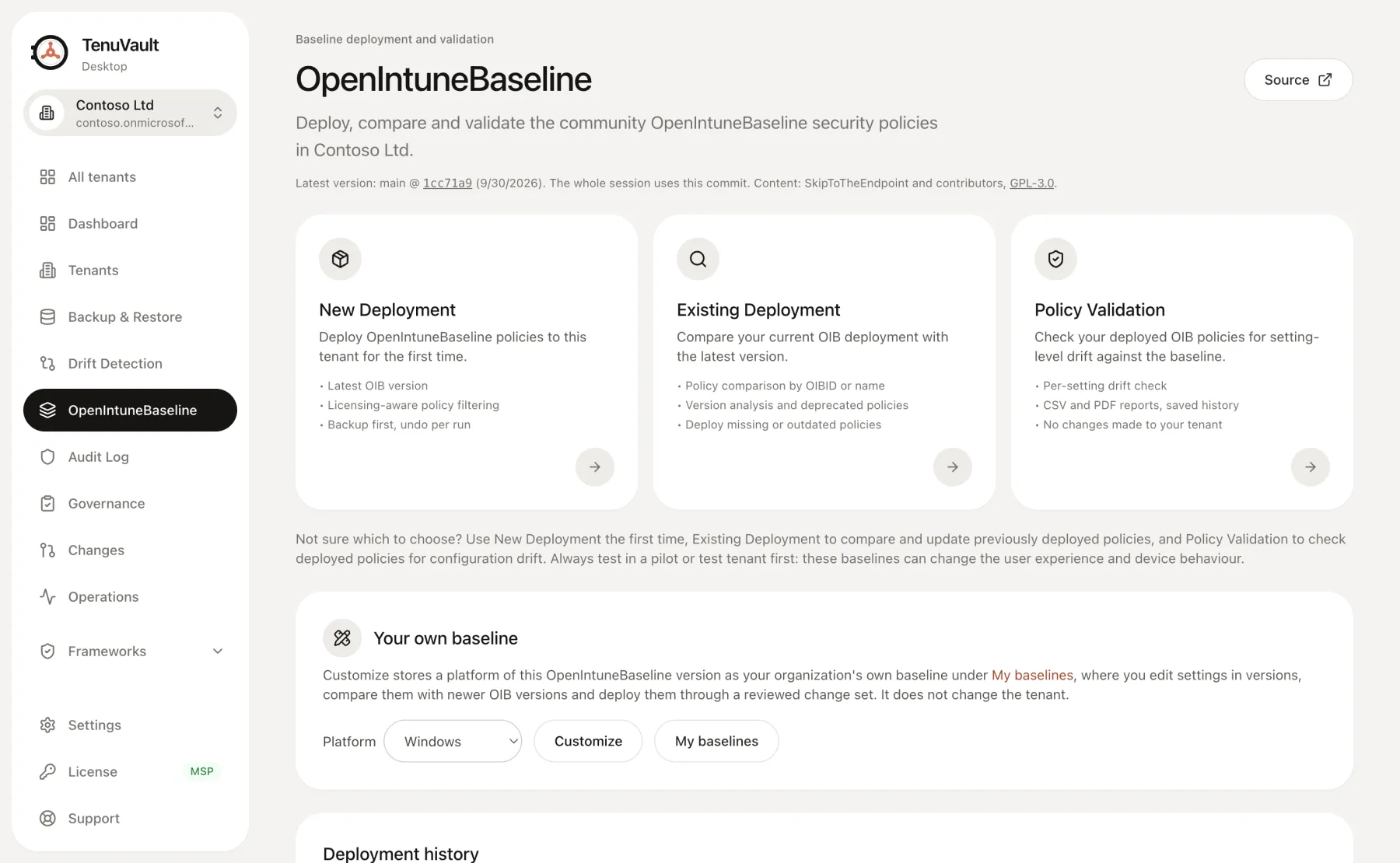
Deploy, compare and validate the community baseline for Windows, macOS, Windows 365 and BYOD.
Read the openintunebaseline guideTenuVault is a desktop app for Windows and macOS that backs up and restores Microsoft Intune configuration. Schedule encrypted Intune backup, see what drifted and deploy the OpenIntuneBaseline from an app that signs in as you. Your configuration never passes through a TenuVault server.
Also for Mac: Apple silicon · Intel
For Apple silicon Macs. Intel Mac? Get the Intel build
Also for Windows: direct download · Microsoft Store
TenuVault installs on Windows and macOS. Send yourself the link and install it on your computer.
Windows: direct download · Microsoft Store
Mac: Apple silicon · Intel
For Apple silicon Macs. Intel Mac? Get the Intel build
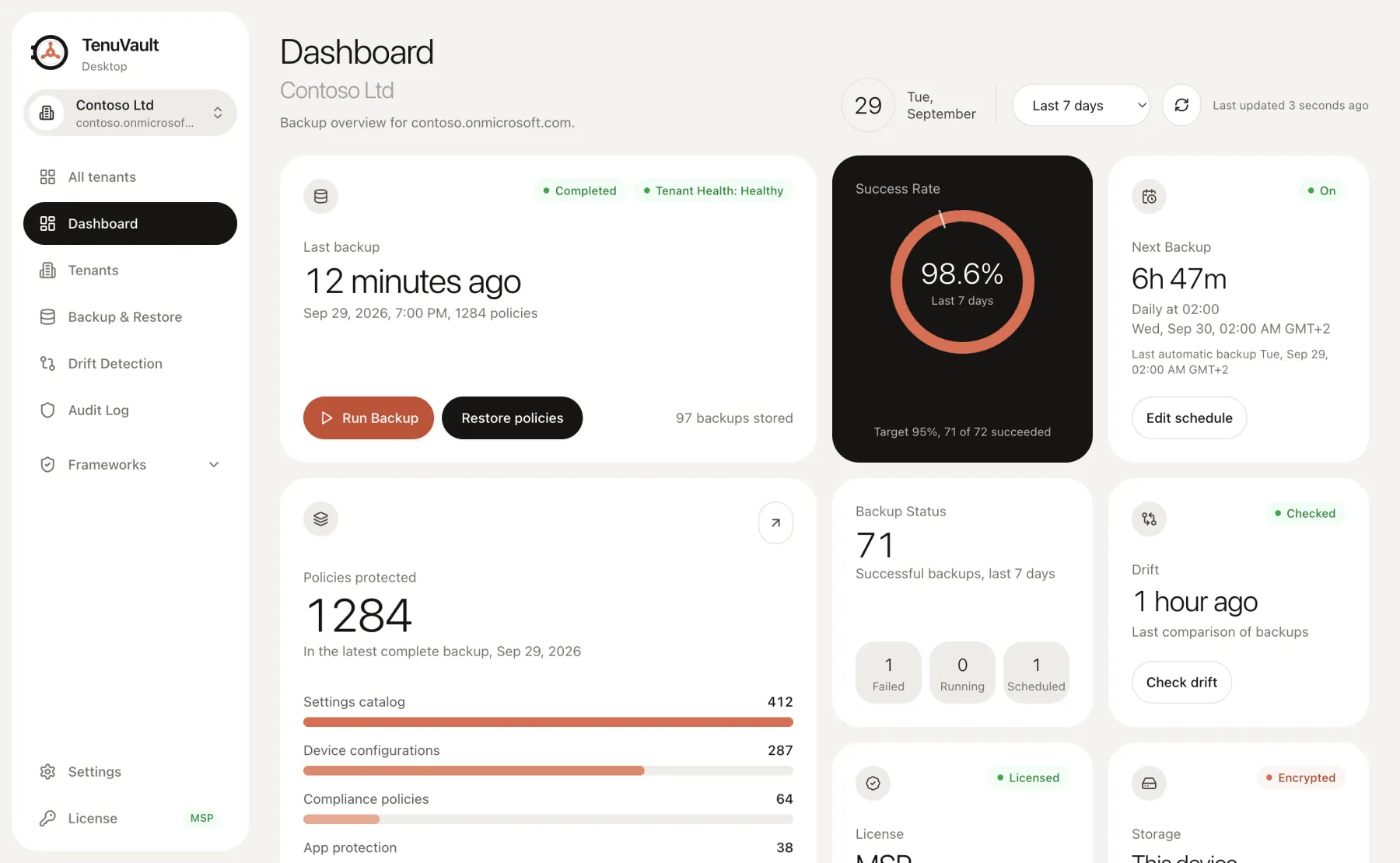
Sign in with your own admin account , keep backups encrypted on this device or in your own Azure storage , and every change carries your name.
In numbers
1,000+
Downloads
40
Intune object types in a backup, with assignments where Intune has them
9
Frameworks to compare your Intune settings with, included in Community
OpenIntuneBaseline, built in
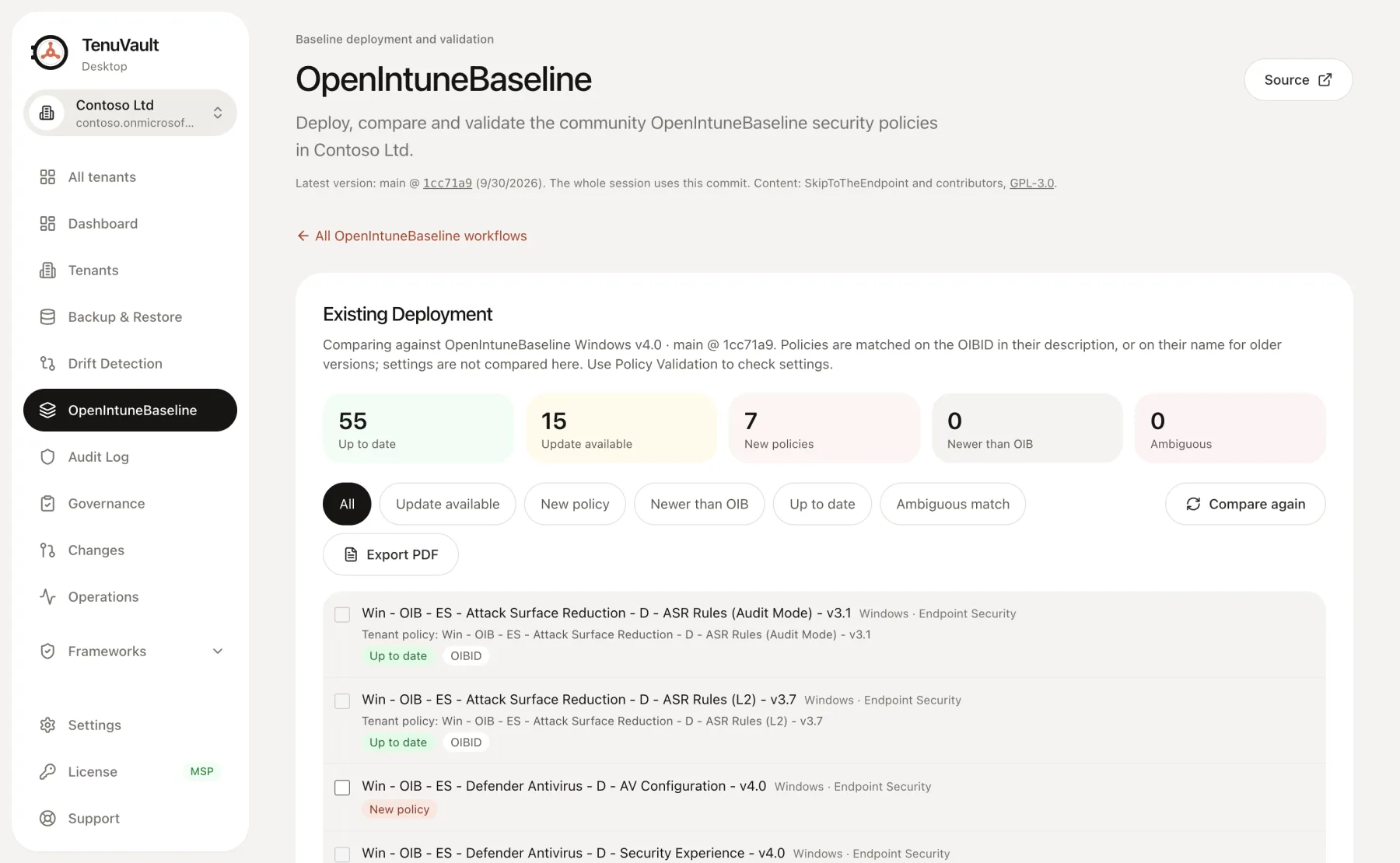
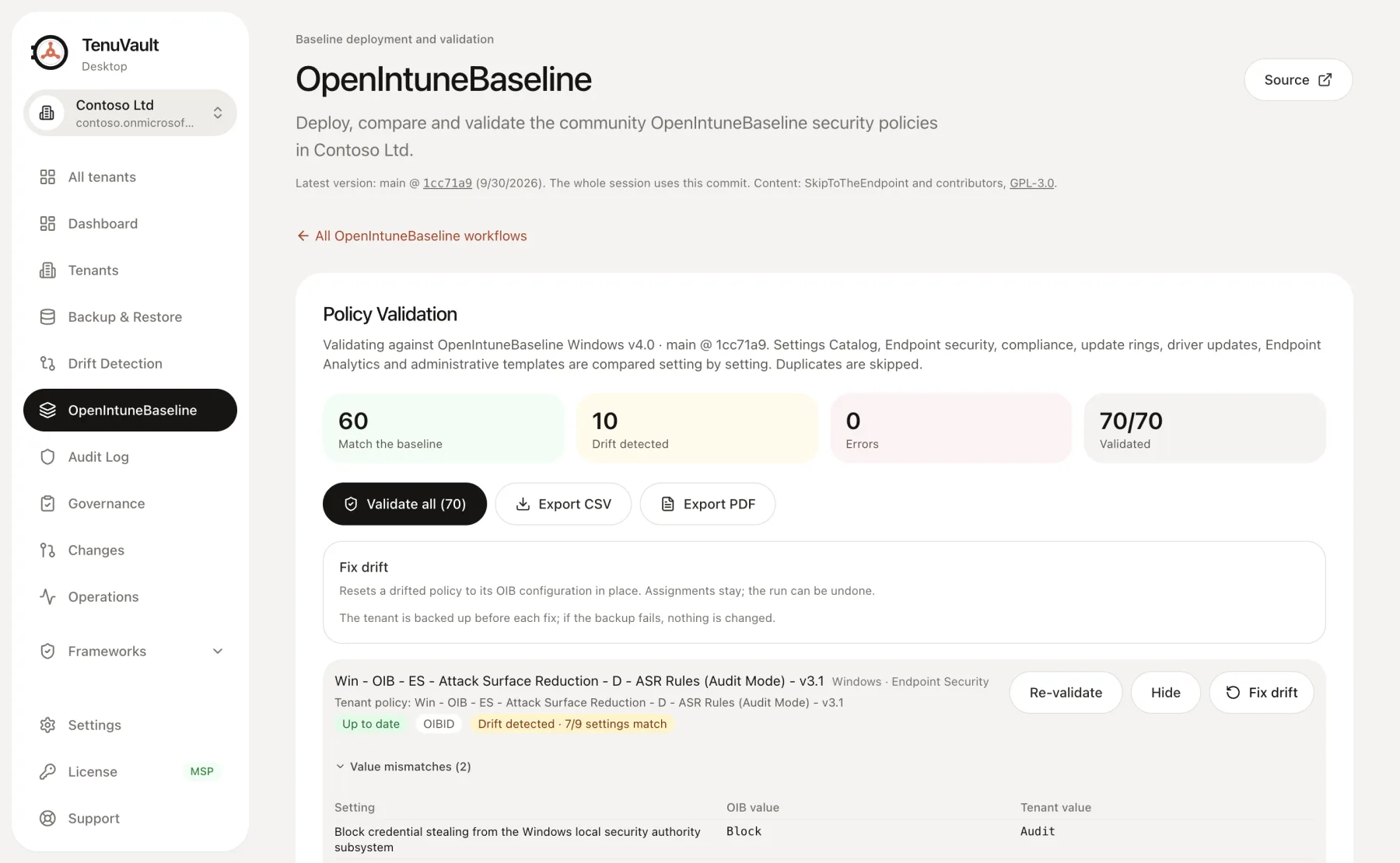
OpenIntuneBaseline is the open Intune baseline by SkipToTheEndpoint and contributors. It stays independent and works with any tool. TenuVault loads the latest version from GitHub and helps you deploy it, keep it current and check it for drift.
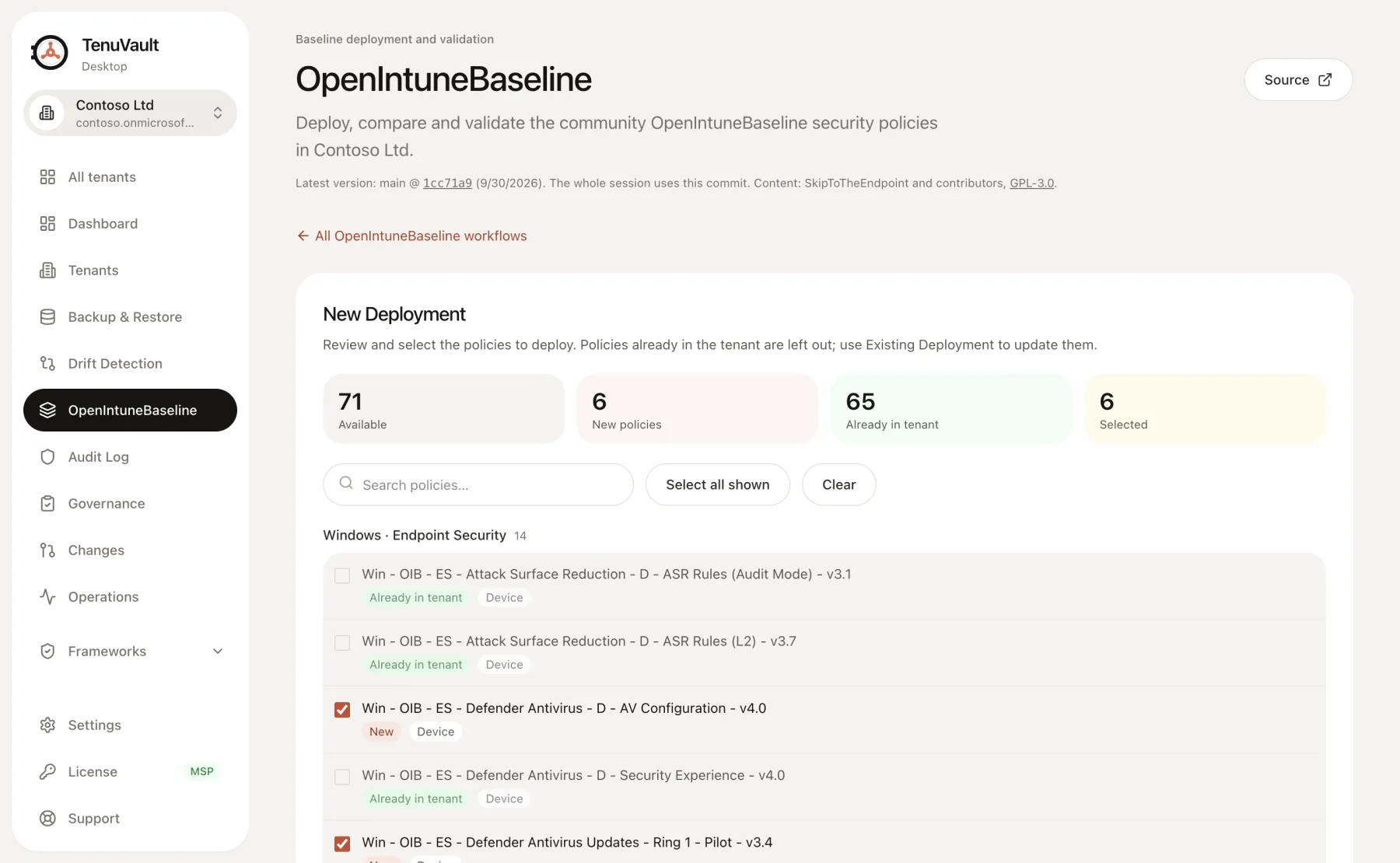
New policies reach no device until you assign them, or go to one pilot group.
On by default once backup storage is set up: a full backup runs before anything changes, and if it fails, nothing is changed.
Undo deletes what a run created and puts back what it updated.
Customize a platform into your own versioned baseline and compare it with newer OIB versions.
OpenIntuneBaseline content: SkipToTheEndpoint and contributors, GPL-3.0. View on GitHub · Read the docs
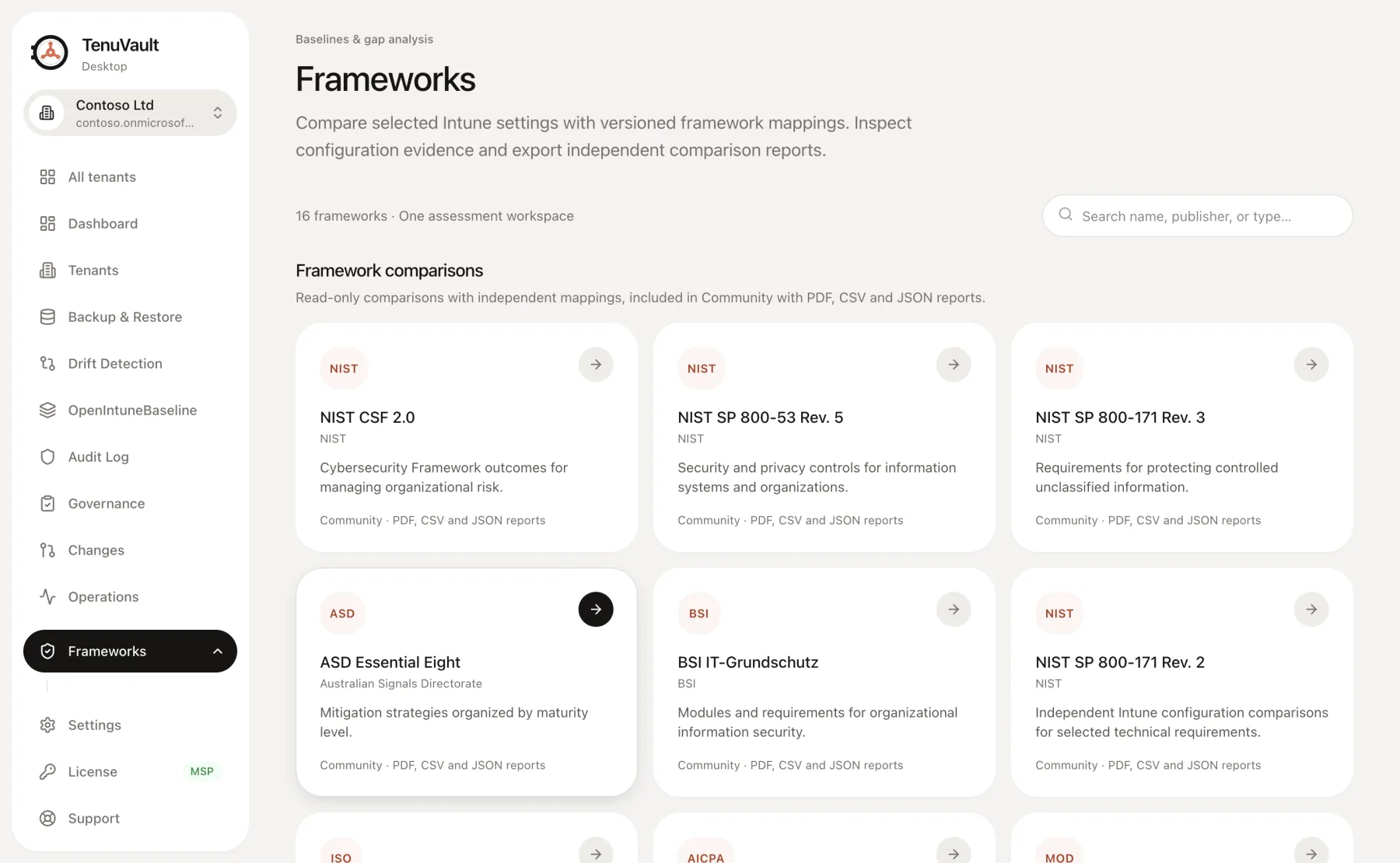
Compare your Intune settings with independent, versioned framework mappings. Read-only, with PDF, CSV and JSON reports, included in Community.
A technical configuration comparison, not an audit, and it does not certify your tenant. Apart from the CIS certification of TenuVault described below, no publisher endorsement is implied.
TenuVault is CIS Benchmarks Certified for Assessment and Remediation. The certification covers only the CIS Microsoft Intune for Windows 11 Benchmark v5.0.0 (Level 1), CIS Microsoft Intune for Microsoft Defender Antivirus Benchmark v1.0.0 (Level 1 and Level 2) and CIS Apple macOS 26 Tahoe Intune Benchmark v1.0.0 (Level 1 and Level 2). TenuVault remediates only the recommendations it assesses automatically through Intune policy settings. It lists Manual and not assessed recommendations with their CIS guidance for manual action. CIS, CIS Benchmarks and CIS Controls are trademarks of the Center for Internet Security, Inc.
Deploy the baseline, protect it with backups, see what drifted and put back exactly what you need.
Deploy, compare and validate the community baseline for Windows, macOS, Windows 365 and BYOD.
Read the openintunebaseline guide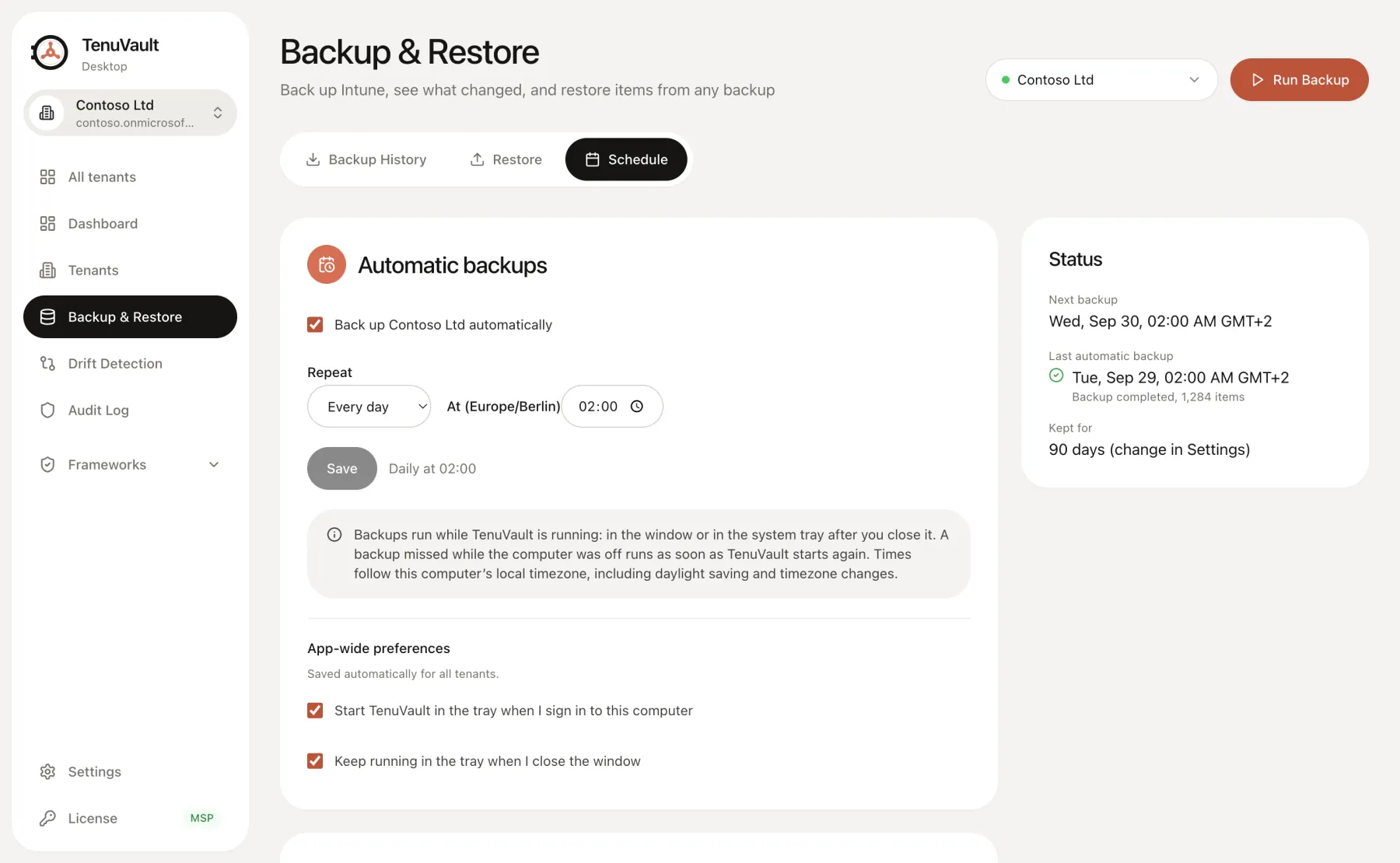
Every policy type that matters, with assignments, encrypted on this device.
Read the backup guide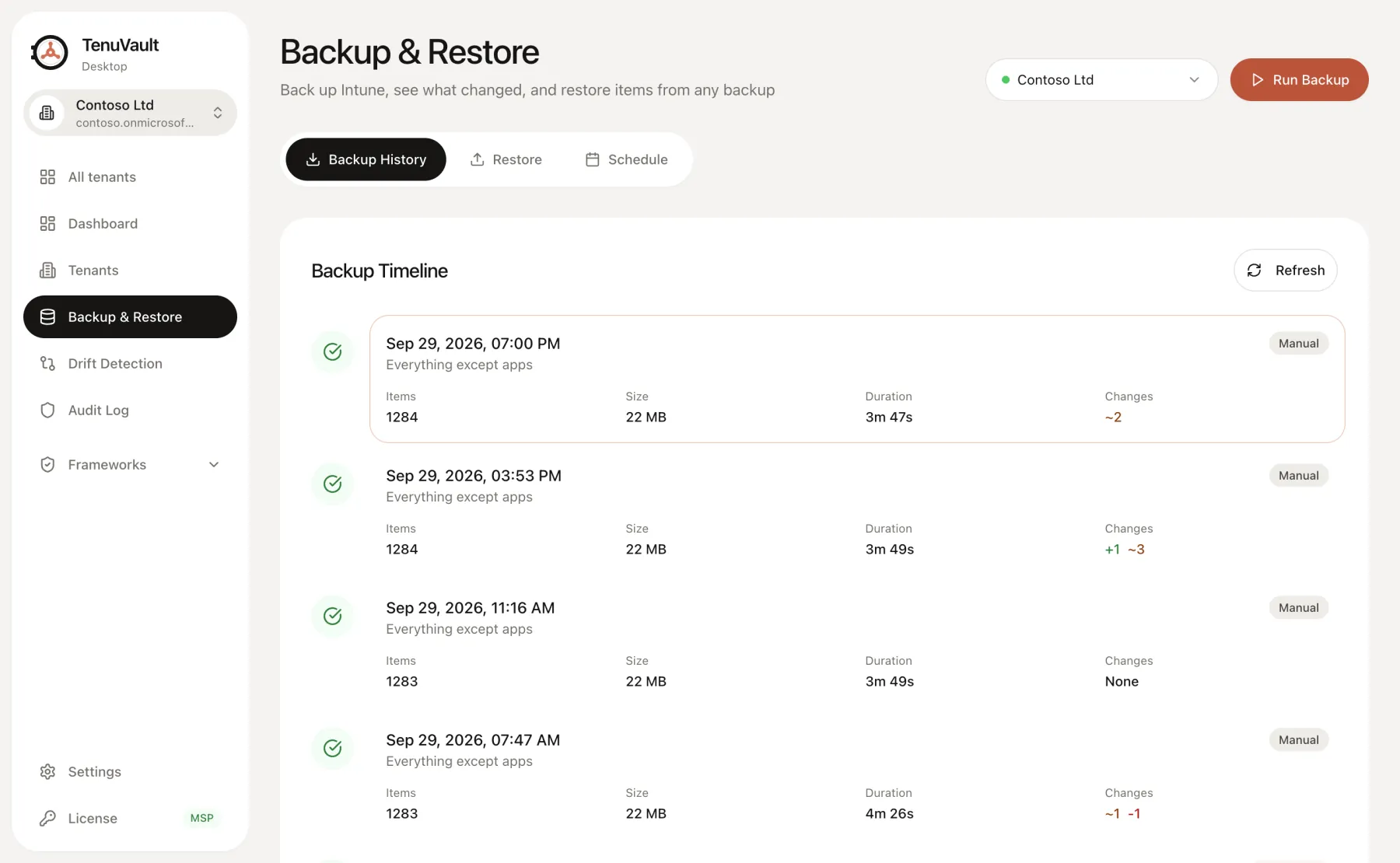
Restore any item as a copy, or in place with its assignments on Pro.
Read the restore guide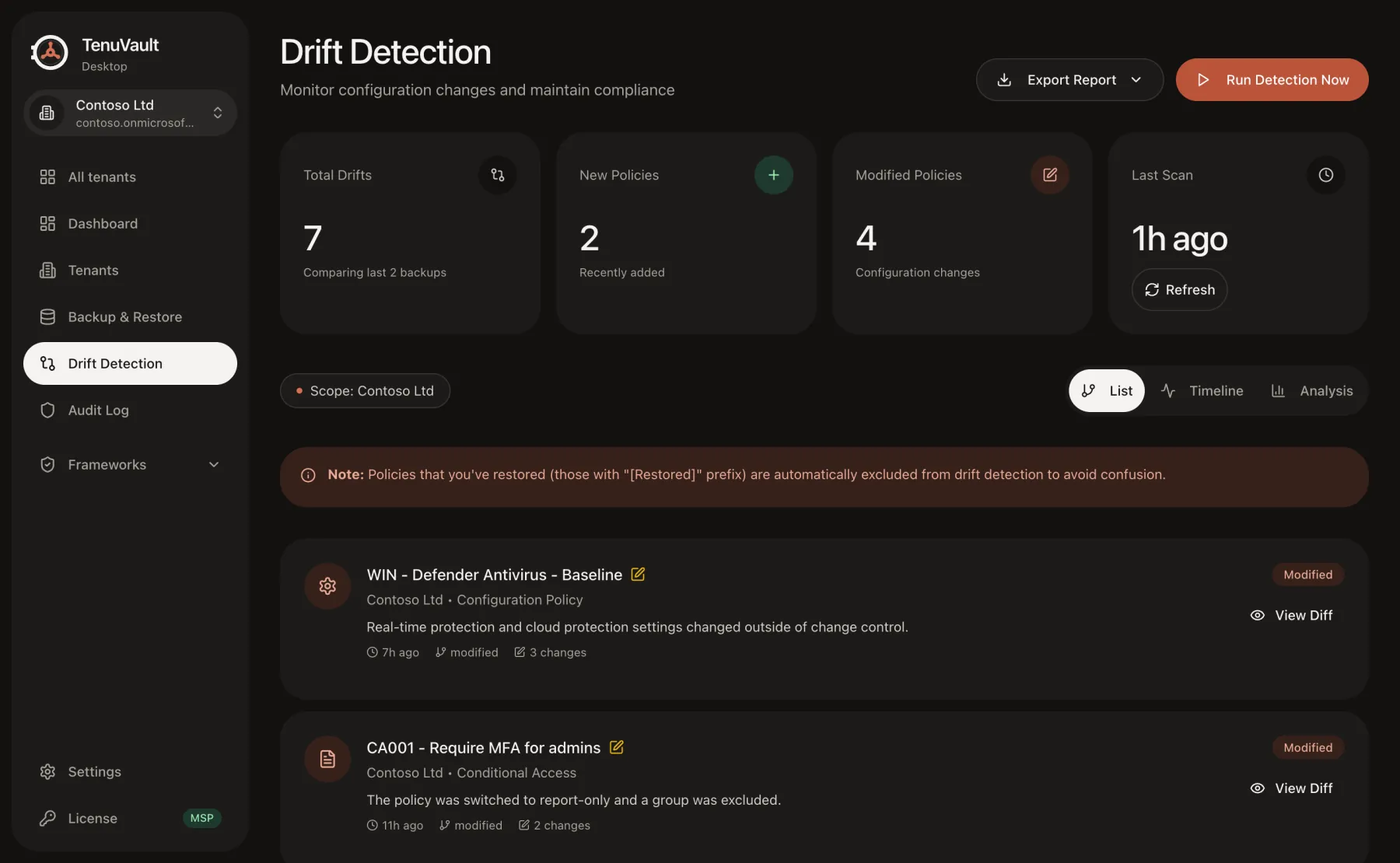
See what changed between backups, down to the setting.
Read the drift detection guideWhen Conditional Access or policy rules out third party portals, TenuVault Desktop still fits. It is a public client in your own tenant, with no secret.
Only license checks and CIS Benchmarks downloads go to tenuvault.com. Tenant configuration, backups and your Microsoft access token never do.
No per device pricing, on any plan. Community is free for one tenant and includes OpenIntuneBaseline for Windows, macOS, Windows 365 and BYOD. Pro includes two tenants, daily backups and your own Azure storage. Try it free for 30 days with just your email, no card needed. The new MSP offer includes five tenants. Prices in EUR, excluding VAT.
For admins who want a real safety net for one tenant.
Forever. No paid license or TenuVault web account.
DownloadFor organizations that must recover fast and control change.
Excl. VAT. Business tax IDs accepted.
Unlimited devices, no per device fees2 tenants, billed monthly.
Start free trial30 days, no card, nothing charged.
For service providers and organizations with 5 or more tenants.
Excl. VAT. Business tax IDs accepted.
Unlimited devices, no per device feesIncludes 5 tenants. Add more with graduated pricing.
Start free trial30 days of Pro, no card. Your setup carries over to MSP.
Buying through procurement? For yearly plans we send a quote, accept your purchase order and invoice you for payment by bank transfer. Evaluate first with the 30 day trial, no credit card needed. Email us
An open Intune baseline for Windows, macOS, Windows 365 and BYOD, maintained by SkipToTheEndpoint and contributors under GPL-3.0. It is independent and works with any tool. TenuVault loads the latest version straight from GitHub.
Not until you assign the policies. New policies are created unassigned, or assigned only to a pilot group you enter, and policies already in the tenant are left out. A backup runs first unless you turn it off, and every run can be undone: undo deletes what the run created and puts back the previous version of what it updated.
No. Tenant data and your Microsoft access token never reach a TenuVault server. The app talks to Microsoft for sign in, Microsoft Graph and Azure, and to GitHub for updates and OpenIntuneBaseline files. License checks go to tenuvault.com and can include a Microsoft ID token as proof of the tenant; it is verified and never stored. On Pro and MSP, CIS Benchmarks content also downloads from tenuvault.com.
Delegated Microsoft Graph permissions for Intune configuration, apps, scripts and RBAC, plus Azure Storage only if backups go to your own storage account. The setup script lists and grants them. See the full list in the Trust Center.
One tenant with manual and weekly backups, 30 days of history, restoring single items as copies, drift detection, OpenIntuneBaseline for Windows, macOS, Windows 365 and BYOD and supported framework mappings except CIS, with PDF, CSV and JSON reports. No license key and no account needed.
Yes, with MSP. Cross tenant copies are created unassigned and require reviewed target dependencies, so nothing is pushed to devices by surprise.
The first versions of TenuVault were a free PowerShell script and a hosted web portal. TenuVault Desktop, released in October 2026, is the current product for new users: a desktop app for Windows and macOS with a free Community plan and paid Pro and MSP plans. The web portal remains available for existing users.
Windows (EXE or MSI) or macOS, Apple silicon or Intel.
An admin runs New-TenuVaultDesktopApp.ps1 once to create it and grant consent.
Admins who use the app need an Intune role, for example Intune Administrator.
Community works without a key. Paste a Pro or MSP key on the License page.
Choose OpenIntuneBaseline in the sidebar and start a New Deployment.
Install, run the setup script, sign in. Your first backup is a few minutes away.
Also for Mac: Apple silicon · Intel
For Apple silicon Macs. Intel Mac? Get the Intel build
Also for Windows: direct download · Microsoft Store
TenuVault installs on Windows and macOS. Send yourself the link and install it on your computer.
Windows: direct download · Microsoft Store
Mac: Apple silicon · Intel
For Apple silicon Macs. Intel Mac? Get the Intel build
Free for one tenant, OpenIntuneBaseline included. Try Pro free for 30 days, no card needed.