 TenuVaultDesktop
TenuVault Desktop
Back up Microsoft Intune configuration
Save your Intune configuration before a rollout or an unexpected change. TenuVault reads policies through Microsoft Graph using your own admin sign-in and keeps backups on your computer or in your own Azure storage.
Policies, settings and assignments
Back up Settings Catalog policies, device configurations, compliance policies, Administrative Templates, endpoint security configuration, scripts and other supported Intune object types. Snapshots keep settings and assignments where Microsoft Graph exposes them.
Choose the backup scope and review the result. Missing permissions, excluded types and interrupted runs need attention; a backup is useful only when you know what it contains.
Choose where configuration is stored
Community stores encrypted backups on the device. Pro and MSP can also store backups in your Azure storage account. Local backup files use AES-256-GCM, with key protection supplied by Windows DPAPI or the macOS Keychain.
Save the recovery key somewhere separate from the admin computer. It lets you read encrypted backups on another device. Azure storage has additional metadata and encryption details; review the data-flow and encryption guides before deployment.
Schedule backups with clear operating requirements
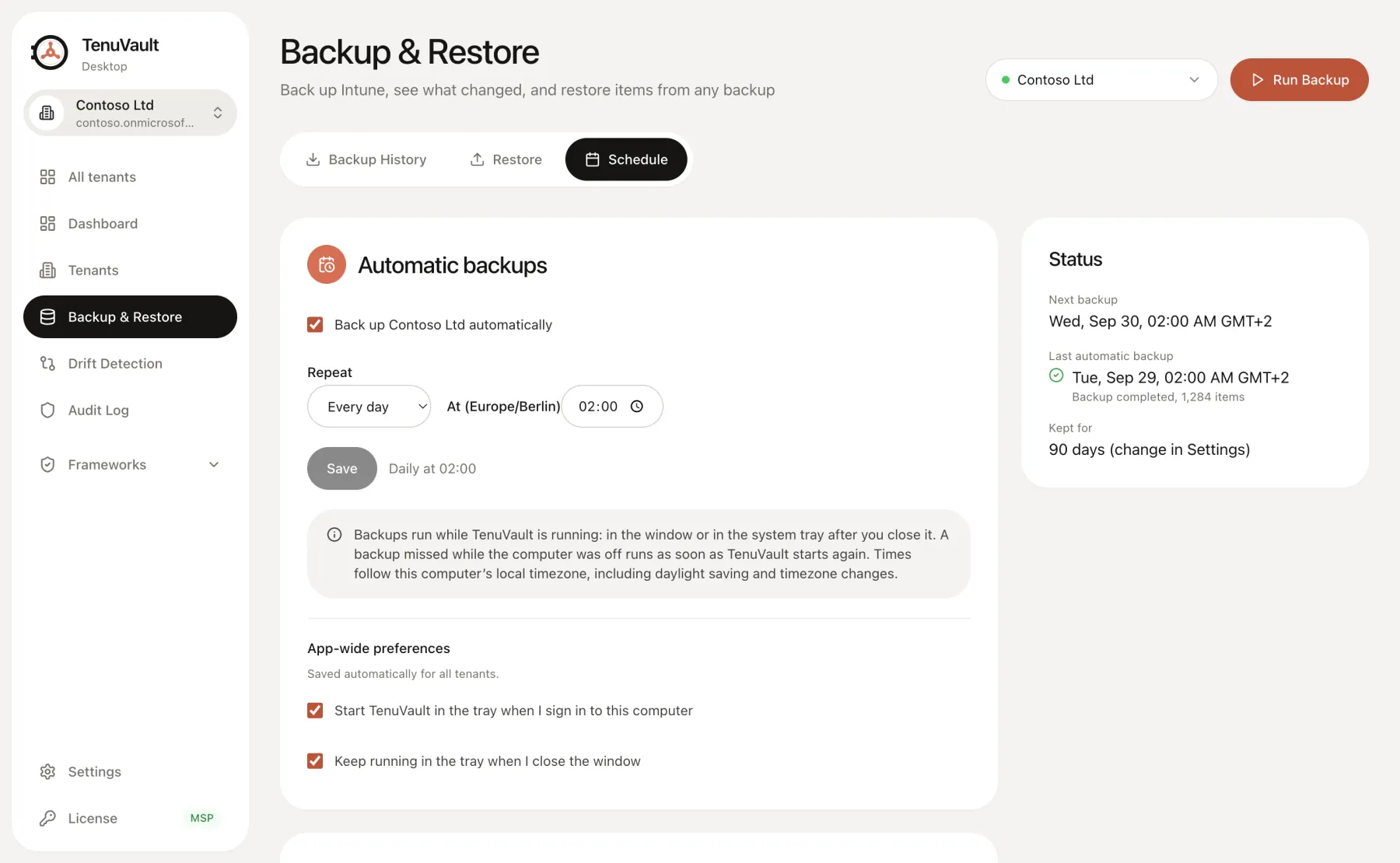
Community includes manual and weekly backups with up to 30 days of history. Pro and MSP add daily schedules and configurable retention. Schedules run from the desktop app while it can operate in the user session; the computer must be awake.
Keep TenuVault running in the tray, configure startup if appropriate, and check backup status after authentication or network changes. A desktop schedule is not an unattended server service. Missed backups and expired sign-in must be reviewed.
Know what configuration backup cannot recover
Configuration snapshots do not recreate device contents or every external artifact. App installer binaries, Apple certificates and tokens, and dependencies that Graph cannot export may need separate recovery procedures.
Review the recovery readiness report and run a small restore drill before relying on a backup during an incident.
Read the technical guides
Product scope reviewed 3 October 2026. Check your installed release and the current plan table before using a workflow.